Free Website SEO Checker: Find & Fix Technical SEO Errors Before Google Does (2026 Guide)
Discover how to find and fix technical SEO issues before they hurt your Google rankings. Learn about crawl errors, broken links, Core Web Vitals, XML sitemaps, canonical tags, and how Zetawala's free Website SEO Checker helps improve indexing, search visibility, and organic traffic.
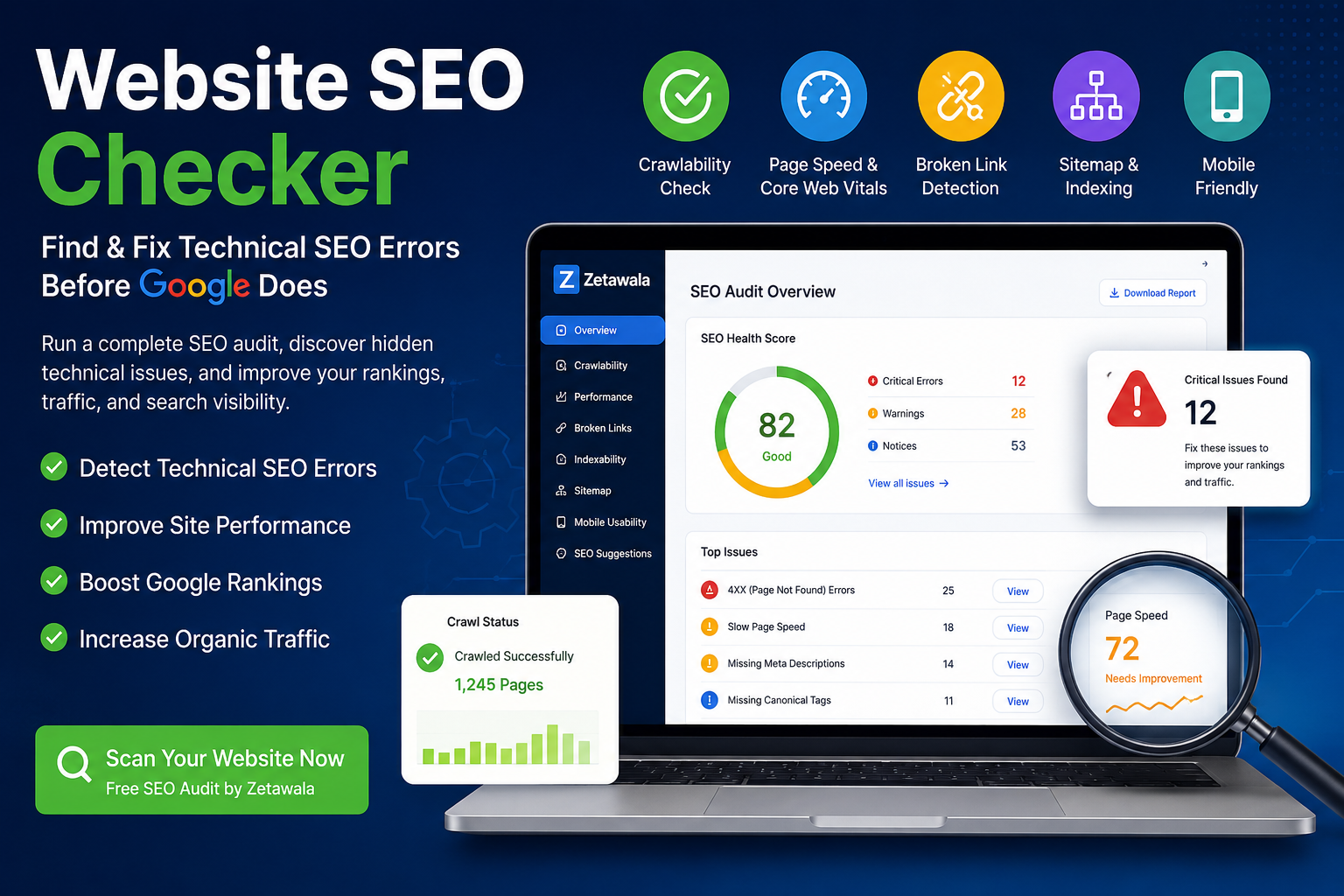
Website SEO Checker: Find Technical SEO Errors Before Google Does
Launching a website is exciting. You spend hours designing pages, writing high-quality content, and optimizing every image. But after publishing, weeks pass and your website still receives little or no traffic from Google.
This is one of the most common problems website owners face.
In many cases, the issue isn't your content—it's your technical SEO.
Even the best articles cannot rank if Google cannot properly crawl, understand, or index your website. Hidden issues like broken links, slow loading pages, missing canonical tags, crawl blocks, or sitemap errors can silently prevent your pages from appearing in search results.
Fortunately, these problems are easy to identify when you use a reliable Website SEO Checker.
Zetawala helps you scan your website, discover technical SEO issues, and fix them before they affect your rankings. Instead of waiting for Google Search Console to report problems after your traffic drops, you can proactively improve your website's health and increase your chances of ranking.
What Is Technical SEO?
Technical SEO is the process of optimizing your website so search engines can easily crawl, understand, and index your pages.
Unlike on-page SEO, which focuses on keywords and content, technical SEO focuses on the structure and performance of your website.
A complete technical SEO audit usually includes checking:
- Website SEO Checker
- Robots.txt Generator & Tester
- Sitemap Generator & Validator
- Canonical & Indexability Checker
- Broken Link Checker
- PageSpeed & Core Web Vitals
If any of these components are broken, Google may struggle to crawl your website correctly, resulting in poor rankings and fewer impressions.
Why Technical SEO Matters More Than Ever
Google's ranking algorithms have become increasingly sophisticated. They don't only evaluate your content—they also measure how easily users and search engines can access your website.
A technically optimized website provides:
- Faster loading pages
- Better user experience
- Improved crawl efficiency
- Higher indexing rates
- Stronger Core Web Vitals
- Better mobile usability
- Improved search visibility
Ignoring technical SEO often leads to poor rankings even when your content is excellent.
7 Technical SEO Errors That Hurt Your Rankings
1. Crawlability & Indexing Problems
Google must crawl your pages before it can rank them.
Common problems include:
- noindex tags
- Blocked robots.txt rules
- Broken internal links
- Orphan pages
- Incorrect canonical tags
Recommended Tool: Canonical & Indexability Checker
Also review your Robots.txt Generator & Tester to ensure Google isn't accidentally blocked from important pages.
2. Slow Website Speed
Website speed directly affects both user experience and SEO.
Slow websites usually suffer from:
- Large images
- Heavy JavaScript
- Render-blocking CSS
- Poor hosting
- Excessive third-party scripts
Google measures speed using Core Web Vitals.
Use PageSpeed & Core Web Vitals to identify performance bottlenecks and improve loading speed.
3. Broken Links & 404 Errors
Broken links create a poor user experience and waste Google's crawl budget.
Common causes include:
- Deleted blog posts
- Incorrect URLs
- Missing images
- Broken external references
Instead of manually checking every page, run the Broken Link Checker to instantly find broken internal and external links.
4. Duplicate Content
Duplicate pages confuse search engines.
Google may struggle to determine which version should rank.
This often happens because of:
- URL parameters
- Category archives
- Pagination
- Product filters
The Canonical & Indexability Checker helps identify duplicate content issues and verifies that canonical tags are configured correctly.
5. Poor Meta Tags
Missing or poorly optimized titles and meta descriptions reduce click-through rates.
Use the Title & Meta Description Analyzer to review your metadata and ensure every important page has unique SEO-friendly titles and descriptions.
6. Missing XML Sitemap
Your XML sitemap acts as a roadmap for search engines.
Without a valid sitemap, Google may discover your pages much more slowly.
Generate and validate your sitemap using the Sitemap Generator & Validator before submitting it to Google Search Console.
7. Weak Overall Website Health
Fixing one issue at a time isn't enough.
You also need an overall picture of your website's SEO performance.
The SEO Health Score Calculator provides a quick overview of your site's technical health and highlights the most important issues to fix first.
How Zetawala's Website SEO Checker Helps
Instead of using multiple disconnected SEO tools, Zetawala brings everything together in one place.
With a single audit, you can:
- Discover indexing problems
- Detect crawl errors
- Find broken links
- Analyze Core Web Vitals
- Review meta tags
- Validate canonical tags
- Check XML sitemaps
- Monitor overall SEO health
This saves hours of manual work while helping you fix issues before they impact your rankings.
Simple 4-Step SEO Audit Workflow
Step 1
Run the Website SEO Checker and scan your website.
Step 2
Review your overall score using the SEO Health Score Calculator .
Step 3
Fix issues using:
- Broken Link Checker
- Canonical & Indexability Checker
- PageSpeed & Core Web Vitals
- Header & Meta Tags Inspector
Step 4
Update your sitemap using the Sitemap Generator & Validator and request indexing through Google Search Console.
Related SEO Tools
If you're serious about improving your technical SEO, these free Zetawala tools can help:
- Website SEO Checker
- Broken Link Checker
- Robots.txt Generator & Tester
- Sitemap Generator & Validator
- Canonical & Indexability Checker
- PageSpeed & Core Web Vitals
- Header & Meta Tags Inspector
- SEO Health Score Calculator
- Title & Meta Description Analyzer
Frequently Asked Questions
Why is my website getting no Google impressions?
Common reasons include crawl errors, blocked pages, slow loading speed, duplicate content, missing XML sitemaps, or indexing issues. Running a full audit with Zetawala's Website SEO Checker can help identify these problems quickly.
How often should I check my website?
A complete technical SEO audit should be performed at least once a month and after any major website update or redesign.
Can technical SEO improve rankings?
Yes. Without proper technical SEO, even excellent content may struggle to rank because search engines cannot efficiently crawl and index your pages.
Final Thoughts
Publishing great content is only half the battle. If your website has hidden technical SEO problems, Google may never fully discover or rank your pages.
Before publishing your next blog or landing page, run a complete audit using Zetawala's Website SEO Checker. Then verify your robots.txt, validate your XML sitemap, scan for broken links, review your canonical tags, and measure your site's SEO Health Score.
By fixing technical SEO issues early, you'll make it easier for Google to crawl, index, and rank your content—giving your website a much better chance of earning consistent organic impressions and long-term search traffic.
Discussion (0)
No comments yet. Start the conversation!